palace of epic 1.9 100%
Published on January 1, 2023
By shauntheknife
👁️🗨️ 3
24
★
★
★
★
★
Rate it
Screenshots
Description
reposted with beetroot and many other small changes the farmland in front is available as a separate download and fits straight on.
A massive palace with everything you could ever want, fully furnished! PERFECT FOR A SERVER!
# should be buried by up to 18 blocks, copy air!
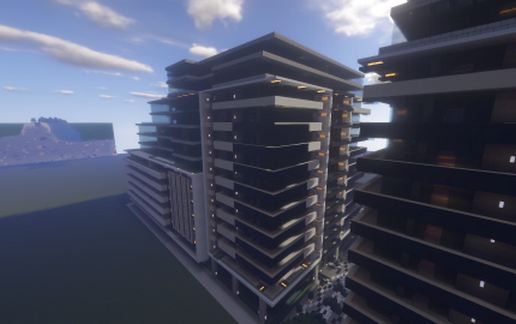
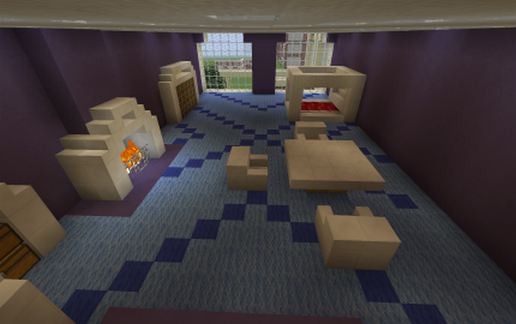
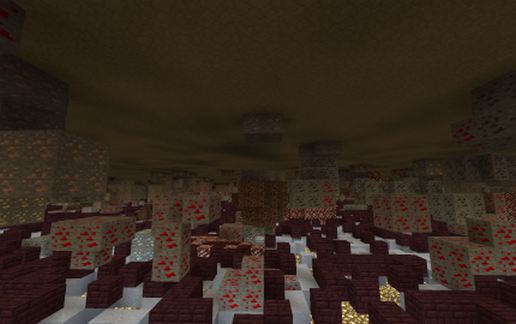
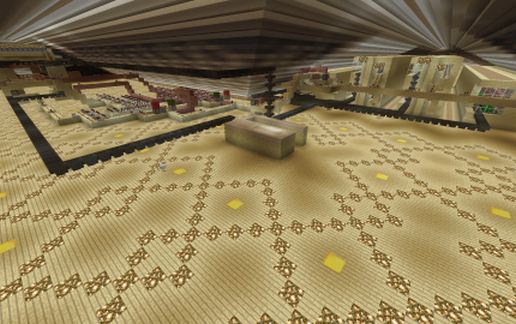
120 guest bedrooms (pic2), 11 shops, 6 libraries, 6 forges with cobble generators, 2 bars, 2 lounges with modern fireplaces, 2 courtyards, chapel, nightclub with 'disco lights' and upstairs V.I.P lounge, bank with vault, indoor swimming pool with sauna and male/female changing rooms, football stadium, cinema, theatre, restaurant, stables and mines (pic4).
All 6 staircases lead to the mines, loft and all 3 floors.
Has your own private living quarters (above football pitch) with a large bedroom, dining room, kitchen, lounge, office, another forge and a vault.
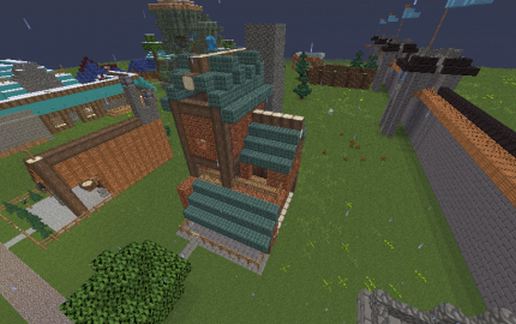
FULLY AUTOMATIC FARMS built into the loft (pic3) producing melons, pumpkins, sugarcanes, cactus, eggs, feathers, and raw chicken.
These have been thoroughly tested and work perfectly.
The stuff is distributed into chests (when chests are full the excess is burned off) the chests are in a room with some furnaces and crafting tables. (go in front door, turn left go to end of hall, up the stairs to 3rd floor, first door on left)
Any comments, suggestions or problems. message me LIKE IT? RATE IT!
A massive palace with everything you could ever want, fully furnished! PERFECT FOR A SERVER!
# should be buried by up to 18 blocks, copy air!
120 guest bedrooms (pic2), 11 shops, 6 libraries, 6 forges with cobble generators, 2 bars, 2 lounges with modern fireplaces, 2 courtyards, chapel, nightclub with 'disco lights' and upstairs V.I.P lounge, bank with vault, indoor swimming pool with sauna and male/female changing rooms, football stadium, cinema, theatre, restaurant, stables and mines (pic4).
All 6 staircases lead to the mines, loft and all 3 floors.
Has your own private living quarters (above football pitch) with a large bedroom, dining room, kitchen, lounge, office, another forge and a vault.
FULLY AUTOMATIC FARMS built into the loft (pic3) producing melons, pumpkins, sugarcanes, cactus, eggs, feathers, and raw chicken.
These have been thoroughly tested and work perfectly.
The stuff is distributed into chests (when chests are full the excess is burned off) the chests are in a room with some furnaces and crafting tables. (go in front door, turn left go to end of hall, up the stairs to 3rd floor, first door on left)
Any comments, suggestions or problems. message me LIKE IT? RATE IT!
Download: palace of epic 1.9 100% schematic for Minecraft
| Format | Size | Use with | |
|---|---|---|---|
.litematic palace-of-epic-1.9-100.litematic |
817.90 KB | Litematica (Java) — more Litematica schematics |
|
.schem palace-of-epic-1.9-100.schem |
247.47 KB | WorldEdit / FAWE |
|
.schematic palace-of-epic-1.9-100.schematic |
343.97 KB | Legacy / online installer |
|
| Install this build directly on your Minecraft map |
|
||
Auto-converted from the original format; container contents (chests, signs) may be missing.
📘 How to use with Litematica (click to expand)
- Put the downloaded
.litematicfile into the.minecraft/schematics/folder. - In game, press M to open the Litematica menu and choose Load Schematics.
- Select the file in the list and click Load Schematic.
- Position the placement where you want it and build — or paste it instantly in creative with Easy Place mode.
Requires the Litematica mod (Java Edition).
More builds: Litematica schematics.
Comments
Similar