The reset maze game
Published on January 1, 2023
By Jax2
👁️🗨️ 205
69
★
★
★
★
★
Rate it
Screenshots
Description
Welcome to the reset maze game!
Not sure if it matters or not, but it might, so this is for version 1.7.10 of Minecraft. Command blocks are used, and the commands may have changed for other versions. If you load it in a different version and it doesn't work, please try it in 1.7.10. Thanks!
*PLEASE NOTE* When pasting this schematic, make sure the main portion of the building is 4 blocks tall from the grass, you may have to nudge it up or down. It will work fine even if it's underground a bit, but it will look funny :D
Description:
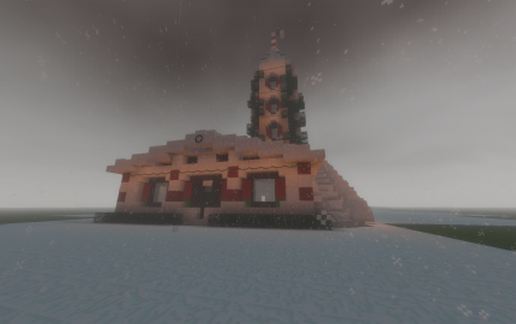
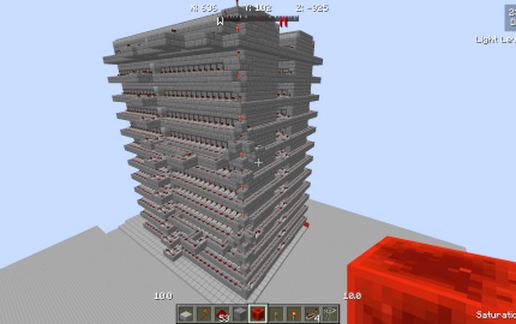
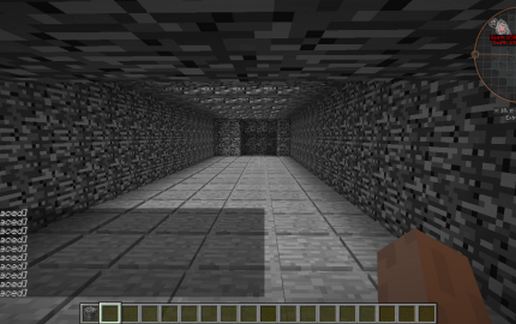
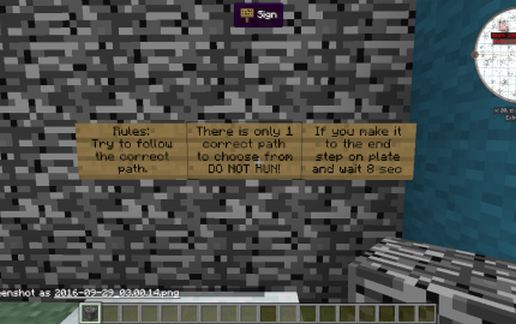
Enter the blue square, press the button and then make your way across a floor of pressure plates. Be warned, there is only one correct path to the end, but if you do not make it and you go boom, have no fear, the maze will reset each time you start over.
Some rules: (And come on, if you cheat, you're only ruining it for yourself, so please try not to...)
1) Be in survival mode! This is no fun at all if you're in creative.
2) Try to find the correct path from the start to the finish.
3) DO NOT RUN! Running will do you no good, I promise!
4) If you make it to the end, step on the last pressure plate and STAY THERE.
Hope you enjoy and would love to hear some comments!
Not sure if it matters or not, but it might, so this is for version 1.7.10 of Minecraft. Command blocks are used, and the commands may have changed for other versions. If you load it in a different version and it doesn't work, please try it in 1.7.10. Thanks!
*PLEASE NOTE* When pasting this schematic, make sure the main portion of the building is 4 blocks tall from the grass, you may have to nudge it up or down. It will work fine even if it's underground a bit, but it will look funny :D
Description:
Enter the blue square, press the button and then make your way across a floor of pressure plates. Be warned, there is only one correct path to the end, but if you do not make it and you go boom, have no fear, the maze will reset each time you start over.
Some rules: (And come on, if you cheat, you're only ruining it for yourself, so please try not to...)
1) Be in survival mode! This is no fun at all if you're in creative.
2) Try to find the correct path from the start to the finish.
3) DO NOT RUN! Running will do you no good, I promise!
4) If you make it to the end, step on the last pressure plate and STAY THERE.
Hope you enjoy and would love to hear some comments!
Download: The reset maze game schematic for Minecraft
| Format | Size | Use with | |
|---|---|---|---|
.litematic the-reset-maze-game.litematic |
26.46 KB | Litematica (Java) — more Litematica schematics |
|
.schem the-reset-maze-game.schem |
1.13 KB | WorldEdit / FAWE |
|
.schematic the-reset-maze-game.schematic |
3.99 KB | Legacy / online installer |
|
Install this build directly on your Minecraft map
Auto-converted from the original format; container contents (chests, signs) may be missing.
📘 How to use with Litematica (click to expand)
- Put the downloaded
.litematicfile into the.minecraft/schematics/folder. - In game, press M to open the Litematica menu and choose Load Schematics.
- Select the file in the list and click Load Schematic.
- Position the placement where you want it and build — or paste it instantly in creative with Easy Place mode.
Requires the Litematica mod (Java Edition).
More builds: Litematica schematics.