Philips Gebow (Building) VB c1990
Published on January 1, 2023
By globecollector
👁️🗨️ 135
25
★
★
★
★
★
Rate it
Screenshots
Description
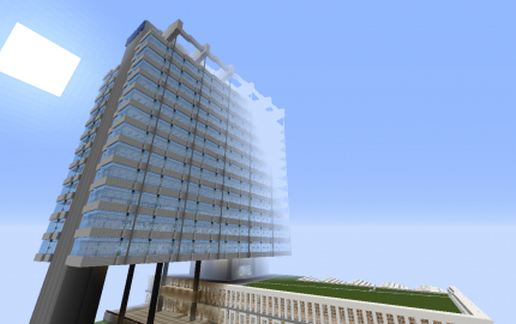
This is a Minecraft representation of the former head office building of the Philips Electronics and Lighting Company located in the city of Eindhoven in the Netherlands.
There are two versions of this building, the 1990 version with the main tower and some of the low rise around it. In the late 1960's the building had a much more extensive expanse of low rise which was subsequently removed. The c1990 version is what is represented here.
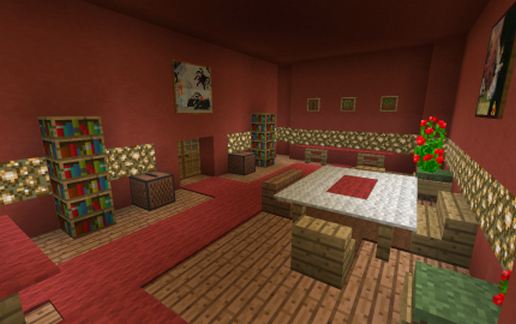
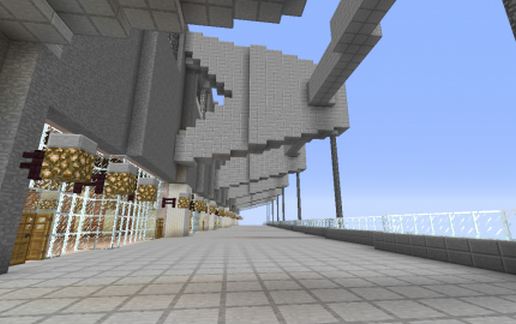
The top floor has furnished rooms and there is an air conditioning unit in the very top floor. Other floors are mostly empty as is the low rise part. The floor plan is an accurate representation of the actual structure but there are issues of scale in some places. The scale is large at about 250-330cm per block. The lift shafts are also empty and there are no winches at the top...this part is unfinished, but feel free to do it yourselves if so inclined.
This building on Boschdijk north of Centrum in Eindhoven was the head offices of Philips from about 1965 to about 2003. After the death of Frits Philips the company moved the head office to Rotterdam and the whole block was sold to the United Nations and almost every former Philips building on it demolished with the exception of this one.
There is a teleport command block in the red room (top floor) pictured above. It will need to be re-programmed to suit your application.
There are two versions of this building, the 1990 version with the main tower and some of the low rise around it. In the late 1960's the building had a much more extensive expanse of low rise which was subsequently removed. The c1990 version is what is represented here.
The top floor has furnished rooms and there is an air conditioning unit in the very top floor. Other floors are mostly empty as is the low rise part. The floor plan is an accurate representation of the actual structure but there are issues of scale in some places. The scale is large at about 250-330cm per block. The lift shafts are also empty and there are no winches at the top...this part is unfinished, but feel free to do it yourselves if so inclined.
This building on Boschdijk north of Centrum in Eindhoven was the head offices of Philips from about 1965 to about 2003. After the death of Frits Philips the company moved the head office to Rotterdam and the whole block was sold to the United Nations and almost every former Philips building on it demolished with the exception of this one.
There is a teleport command block in the red room (top floor) pictured above. It will need to be re-programmed to suit your application.
Download: Philips Gebow (Building) VB c1990 schematic for Minecraft
| Format | Size | Use with | |
|---|---|---|---|
.litematic philips-gebow-(building)-vb-c1990.litematic |
412.23 KB | Litematica (Java) — more Litematica schematics |
|
.schem philips-gebow-(building)-vb-c1990.schem |
297.11 KB | WorldEdit / FAWE |
|
.schematic philips-gebow-(building)-vb-c1990.schematic |
433.06 KB | Legacy / online installer |
|
| Install this build directly on your Minecraft map |
|
||
Auto-converted from the original format; container contents (chests, signs) may be missing.
📘 How to use with Litematica (click to expand)
- Put the downloaded
.litematicfile into the.minecraft/schematics/folder. - In game, press M to open the Litematica menu and choose Load Schematics.
- Select the file in the list and click Load Schematic.
- Position the placement where you want it and build — or paste it instantly in creative with Easy Place mode.
Requires the Litematica mod (Java Edition).
More builds: Litematica schematics.
Comments
Similar