Seattle Space Needle
Published on January 1, 2023
By globecollector
👁️🗨️ 186
100
★
★
★
★
★
Rate it
Screenshots
Description
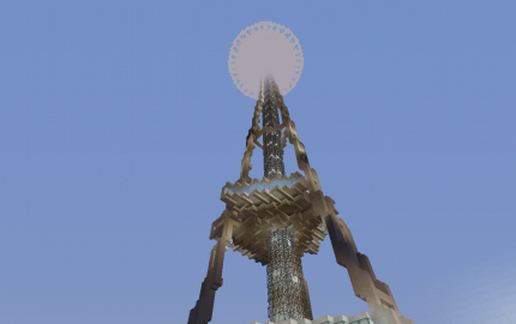
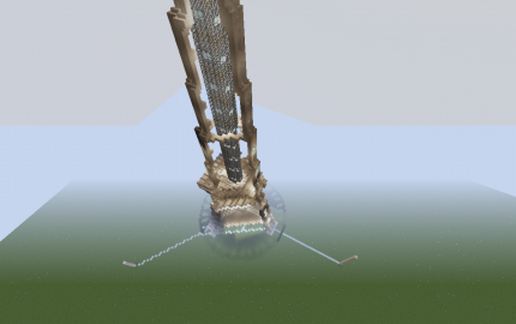
This is a Minecraft representation of this well known landmark in Seattle, Washington State, United States.
Other Minecraft versions of this structure exist but this is possibly the first attempt at the actual three-legged tower, (most other M.C. versions seem to have four legs to fit easily into the rectilinear world of Minecraft). Here the actual three legged structure was attempted and a moderately "pixelated" result was obtained which is barely acceptable..
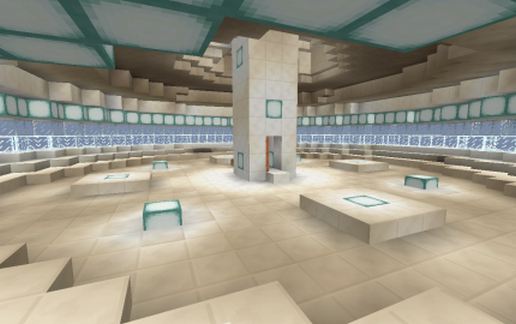
The inside is very simple, unlike the real structure which contains many rooms and circular corridors. The main determining factor on the level of detail here was the height of the structure...which was from about Y=64, (i.e. the surface at sea level) right up to Y=256, the top of the buildable space. Once the height had been defined, the diameter and other horizontal dimensions were then determined by the aspect ratio of the real structure. This limited the internal volume to such an extent it was not worth (or even really possible) trying to re-create the the interior to follow the floor plan of the real structure.
If, at some future time Mojang decide to raise the map height limit to 512 then an interior faithful to the real structure might be possible.
There is a teleport command block up the top, behind the ladder duct that will need re-programming.
Other Minecraft versions of this structure exist but this is possibly the first attempt at the actual three-legged tower, (most other M.C. versions seem to have four legs to fit easily into the rectilinear world of Minecraft). Here the actual three legged structure was attempted and a moderately "pixelated" result was obtained which is barely acceptable..
The inside is very simple, unlike the real structure which contains many rooms and circular corridors. The main determining factor on the level of detail here was the height of the structure...which was from about Y=64, (i.e. the surface at sea level) right up to Y=256, the top of the buildable space. Once the height had been defined, the diameter and other horizontal dimensions were then determined by the aspect ratio of the real structure. This limited the internal volume to such an extent it was not worth (or even really possible) trying to re-create the the interior to follow the floor plan of the real structure.
If, at some future time Mojang decide to raise the map height limit to 512 then an interior faithful to the real structure might be possible.
There is a teleport command block up the top, behind the ladder duct that will need re-programming.
Download: Seattle Space Needle schematic for Minecraft
| Format | Size | Use with | |
|---|---|---|---|
.litematic seattle-space-needle.litematic |
38.17 KB | Litematica (Java) — more Litematica schematics |
|
.schem seattle-space-needle.schem |
9.01 KB | WorldEdit / FAWE |
|
.schematic seattle-space-needle.schematic |
12.28 KB | Legacy / online installer |
|
| Install this build directly on your Minecraft map |
|
||
Auto-converted from the original format; container contents (chests, signs) may be missing.
📘 How to use with Litematica (click to expand)
- Put the downloaded
.litematicfile into the.minecraft/schematics/folder. - In game, press M to open the Litematica menu and choose Load Schematics.
- Select the file in the list and click Load Schematic.
- Position the placement where you want it and build — or paste it instantly in creative with Easy Place mode.
Requires the Litematica mod (Java Edition).
More builds: Litematica schematics.
Comments
Similar