The Truncoctagon
Published on January 1, 2023
By globecollector
👁️🗨️ 149
36
★
★
★
★
★
Rate it
Screenshots
Description
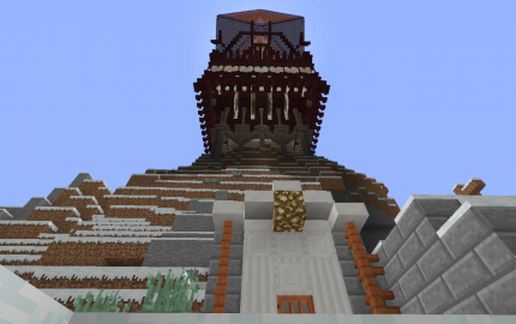
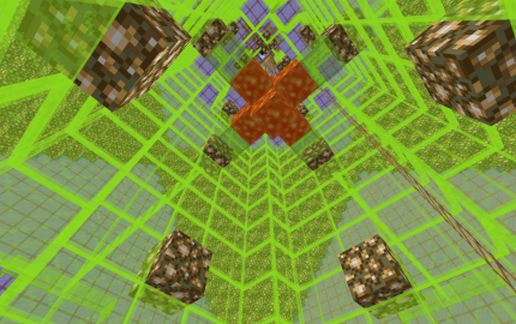
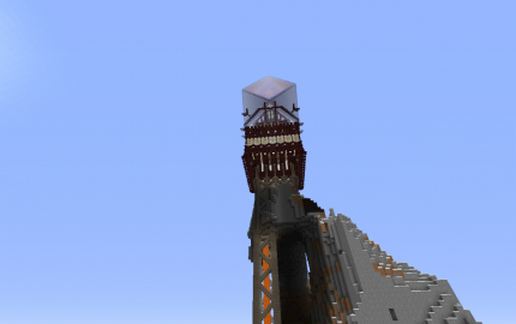
This structure is just pure folly and bling. It started when I copied a map a neighbor had, one generated by an older version of the terrain generator with "vesicular mountains" you never seem to see on more contemporary maps using contemporary terrain generators.
When I was young I used to draw these crazy drawings of bridges, buildings and cities in the air inspired by old Science Fiction art. I then desired to embody the spirit of this childhood art in the 3D Minecraft world and place it atop one of these crazy mountains of the copy of my neighbor's old map....then cut it out as a schematic and take it back to his place and put it seamlessly back onto his copy of the map without him knowing exactly where it was and to find as if it had "naturally" generated out there.
He never found it, and still hasn't as the map is 10K x 10K blocks. I lost the copies I had here when a HDD failed, so to retrieve it, I had to get another copy of his map, search it with the "analyze" feature of MC Edit to find "Future Blocks" at high altitude, then cut it into a schematic and post it here. Luckily he still had the map there despite not playing MC for over two years.....
That is the providence of this cyber "Object d'Art". It uses a truncated octahedron...and as you all can probably tell by now, I have this "thing" about regular solids in Minecraft. Pythagorean or not!
When I was young I used to draw these crazy drawings of bridges, buildings and cities in the air inspired by old Science Fiction art. I then desired to embody the spirit of this childhood art in the 3D Minecraft world and place it atop one of these crazy mountains of the copy of my neighbor's old map....then cut it out as a schematic and take it back to his place and put it seamlessly back onto his copy of the map without him knowing exactly where it was and to find as if it had "naturally" generated out there.
He never found it, and still hasn't as the map is 10K x 10K blocks. I lost the copies I had here when a HDD failed, so to retrieve it, I had to get another copy of his map, search it with the "analyze" feature of MC Edit to find "Future Blocks" at high altitude, then cut it into a schematic and post it here. Luckily he still had the map there despite not playing MC for over two years.....
That is the providence of this cyber "Object d'Art". It uses a truncated octahedron...and as you all can probably tell by now, I have this "thing" about regular solids in Minecraft. Pythagorean or not!
Download: The Truncoctagon schematic for Minecraft
| Format | Size | Use with | |
|---|---|---|---|
.litematic the-truncoctagon.litematic |
468.83 KB | Litematica (Java) — more Litematica schematics |
|
.schem the-truncoctagon.schem |
342.84 KB | WorldEdit / FAWE |
|
.schematic the-truncoctagon.schematic |
377.32 KB | Legacy / online installer |
|
| Install this build directly on your Minecraft map |
|
||
Auto-converted from the original format; container contents (chests, signs) may be missing.
📘 How to use with Litematica (click to expand)
- Put the downloaded
.litematicfile into the.minecraft/schematics/folder. - In game, press M to open the Litematica menu and choose Load Schematics.
- Select the file in the list and click Load Schematic.
- Position the placement where you want it and build — or paste it instantly in creative with Easy Place mode.
Requires the Litematica mod (Java Edition).
More builds: Litematica schematics.
Comments
Similar