SD Trader
Published on January 1, 2023
By ProMcEngineering
👁️🗨️ 161
27
★
★
★
★
★
Rate it
Screenshots
Description
SD.'Special Design Trader'.
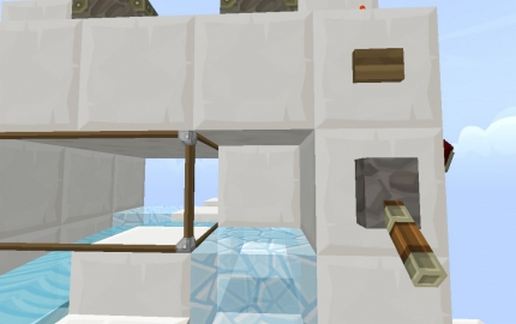
Yo yo yo! PME here with something that we call a 'Must'!
What is it and how does it work?!..
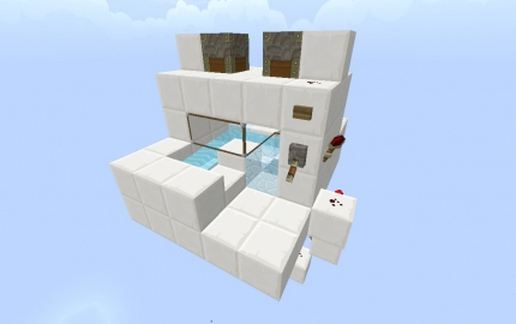
Well if you dont know what this is, we must tell you that this is a special made trading system by the Professional Minecraft Engineering Team. This is made only for all you special ones! and you won't find it any other place but here! and best of all its total free to download!
How it does work. well. theres 3 options!
1: Lever (Accept trade)
2: Button (Deny trade/get stuff back)
3: take your stuff and leave
NOTE both players have to accept the trade / pull the lever before the ifems will transfer.
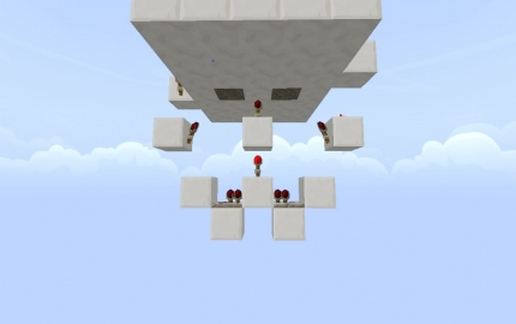
Minimal redstone, easy to use just need a walls around and enter doors. Just what every server needs for their pvp world!
THIS IS AMAZING PME!!!!!
- Haha we know that my friend.. we know! 8)
- We used a hour designing and building this!
- Thanks alot everybody for downloading our schematics!
We love yaall!!! And if anybody wants make a youtube video about the trade and how it works, we will pick the best one and use it as the schematic video! All you have to do is paste the link of your video in a comment below! Thanks for now!
Yo yo yo! PME here with something that we call a 'Must'!
What is it and how does it work?!..
Well if you dont know what this is, we must tell you that this is a special made trading system by the Professional Minecraft Engineering Team. This is made only for all you special ones! and you won't find it any other place but here! and best of all its total free to download!
How it does work. well. theres 3 options!
1: Lever (Accept trade)
2: Button (Deny trade/get stuff back)
3: take your stuff and leave
NOTE both players have to accept the trade / pull the lever before the ifems will transfer.
Minimal redstone, easy to use just need a walls around and enter doors. Just what every server needs for their pvp world!
THIS IS AMAZING PME!!!!!
- Haha we know that my friend.. we know! 8)
- We used a hour designing and building this!
- Thanks alot everybody for downloading our schematics!
We love yaall!!! And if anybody wants make a youtube video about the trade and how it works, we will pick the best one and use it as the schematic video! All you have to do is paste the link of your video in a comment below! Thanks for now!
Download: SD Trader schematic for Minecraft
| Format | Size | Use with | |
|---|---|---|---|
.litematic sd-trader.litematic |
29.96 KB | Litematica (Java) — more Litematica schematics |
|
.schem sd-trader.schem |
710.00 B | WorldEdit / FAWE |
|
.schematic sd-trader.schematic |
351.00 B | Legacy / online installer |
|
| Install this build directly on your Minecraft map |
|
||
Auto-converted from the original format; container contents (chests, signs) may be missing.
📘 How to use with Litematica (click to expand)
- Put the downloaded
.litematicfile into the.minecraft/schematics/folder. - In game, press M to open the Litematica menu and choose Load Schematics.
- Select the file in the list and click Load Schematic.
- Position the placement where you want it and build — or paste it instantly in creative with Easy Place mode.
Requires the Litematica mod (Java Edition).
More builds: Litematica schematics.
Comments
Similar