Tunnel lighting 2
Published on January 1, 2023
By onefairy38
👁️🗨️ 156
36
★
★
★
★
★
Rate it
Description
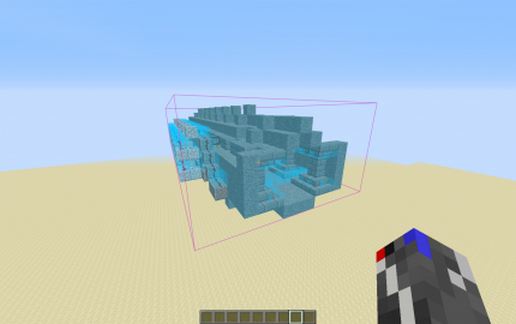
after a proposition of xShineyThighx I have changed the system to activate the light by the different inputs (the système is little bigger then the other)
fire light is activated by flint and steel when you come in the tunnel
and switch off when you go out
après une remarque de xShineyThighx j'ai changé le système pour activer la lumière à partir des différentes entrées (le système est un peu plus gros que le précédent)
des briquets allument des bloc de roche du nether lors que l'on entre dans le tunnel
et l'éteint quand on sort
fire light is activated by flint and steel when you come in the tunnel
and switch off when you go out
après une remarque de xShineyThighx j'ai changé le système pour activer la lumière à partir des différentes entrées (le système est un peu plus gros que le précédent)
des briquets allument des bloc de roche du nether lors que l'on entre dans le tunnel
et l'éteint quand on sort
Download: Tunnel lighting 2 schematic for Minecraft
| Format | Size | Use with | |
|---|---|---|---|
.litematic tunnel-lighting-2.litematic |
27.05 KB | Litematica (Java) — more Litematica schematics |
|
.schem tunnel-lighting-2.schem |
1.07 KB | WorldEdit / FAWE |
|
.schematic tunnel-lighting-2.schematic |
988.00 B | Legacy / online installer |
|
| Install this build directly on your Minecraft map |
|
||
Auto-converted from the original format; container contents (chests, signs) may be missing.
📘 How to use with Litematica (click to expand)
- Put the downloaded
.litematicfile into the.minecraft/schematics/folder. - In game, press M to open the Litematica menu and choose Load Schematics.
- Select the file in the list and click Load Schematic.
- Position the placement where you want it and build — or paste it instantly in creative with Easy Place mode.
Requires the Litematica mod (Java Edition).
More builds: Litematica schematics.
Comments
Similar