Auto Armory
Published on January 1, 2023
By Calcifer_25
👁️🗨️ 194
27
★
★
★
★
★
Rate it
Screenshots
Description
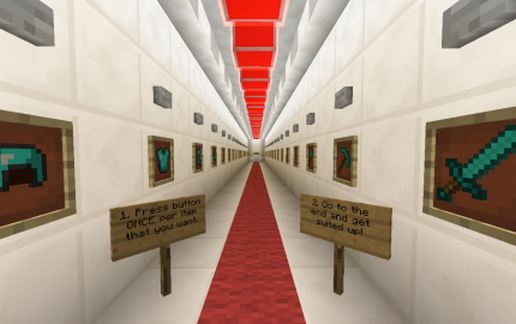
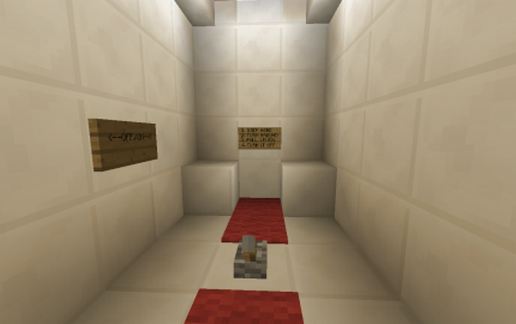
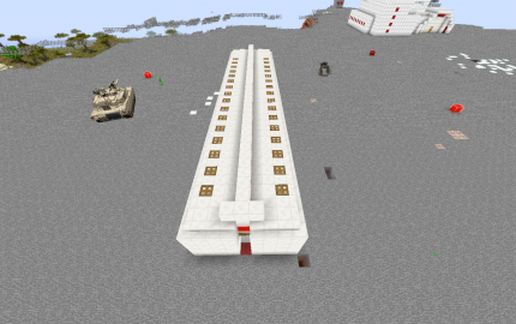
This is an armory that will automatically equip you with any armor or weapons that you choose.
I suggest putting item frames in as well in order to display the item you're choosing.
It works like this:
1. Press the button ONCE for each item you choose. This will activate a dropper behind the wall, dispensing said item into a series of droppers down to a dispenser at the end of the hall (under the carpet).
2. Complete this action until you have selected all items you require (up to 9. A full set of armor and up to 5 weapons or tools)
3. Make your way to the end of the hall and stand on the last piece of carpet, turn around, and pull the lever. You will be fully equipped in just a second.
4. Turn the lever off.
Note: the comparator is in subtract mode, so if you're only getting one item at a time instead of a full set, that may be why.
I suggest putting item frames in as well in order to display the item you're choosing.
It works like this:
1. Press the button ONCE for each item you choose. This will activate a dropper behind the wall, dispensing said item into a series of droppers down to a dispenser at the end of the hall (under the carpet).
2. Complete this action until you have selected all items you require (up to 9. A full set of armor and up to 5 weapons or tools)
3. Make your way to the end of the hall and stand on the last piece of carpet, turn around, and pull the lever. You will be fully equipped in just a second.
4. Turn the lever off.
Note: the comparator is in subtract mode, so if you're only getting one item at a time instead of a full set, that may be why.
Download: Auto Armory schematic for Minecraft
| Format | Size | Use with | |
|---|---|---|---|
.litematic auto-armory.litematic |
50.30 KB | Litematica (Java) — more Litematica schematics |
|
.schem auto-armory.schem |
954.00 B | WorldEdit / FAWE |
|
.schematic auto-armory.schematic |
3.42 KB | Legacy / online installer |
|
| Install this build directly on your Minecraft map |
|
||
Auto-converted from the original format; container contents (chests, signs) may be missing.
📘 How to use with Litematica (click to expand)
- Put the downloaded
.litematicfile into the.minecraft/schematics/folder. - In game, press M to open the Litematica menu and choose Load Schematics.
- Select the file in the list and click Load Schematic.
- Position the placement where you want it and build — or paste it instantly in creative with Easy Place mode.
Requires the Litematica mod (Java Edition).
More builds: Litematica schematics.
Comments
Similar