Tantive IV
Published on March 18, 2026
👁️🗨️ 5660
1200
★
★
★
★
★
Rate it
Screenshots
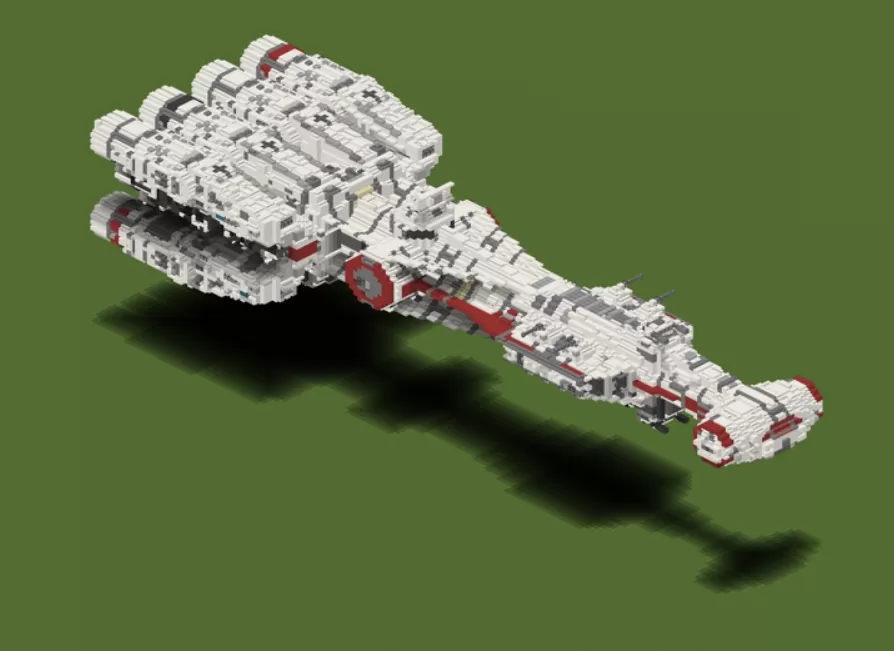
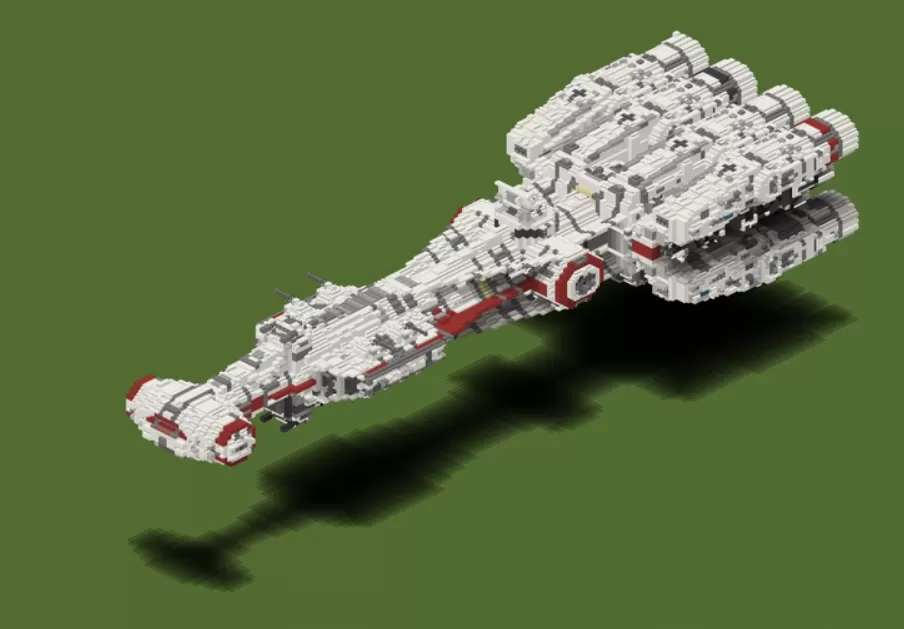
Description
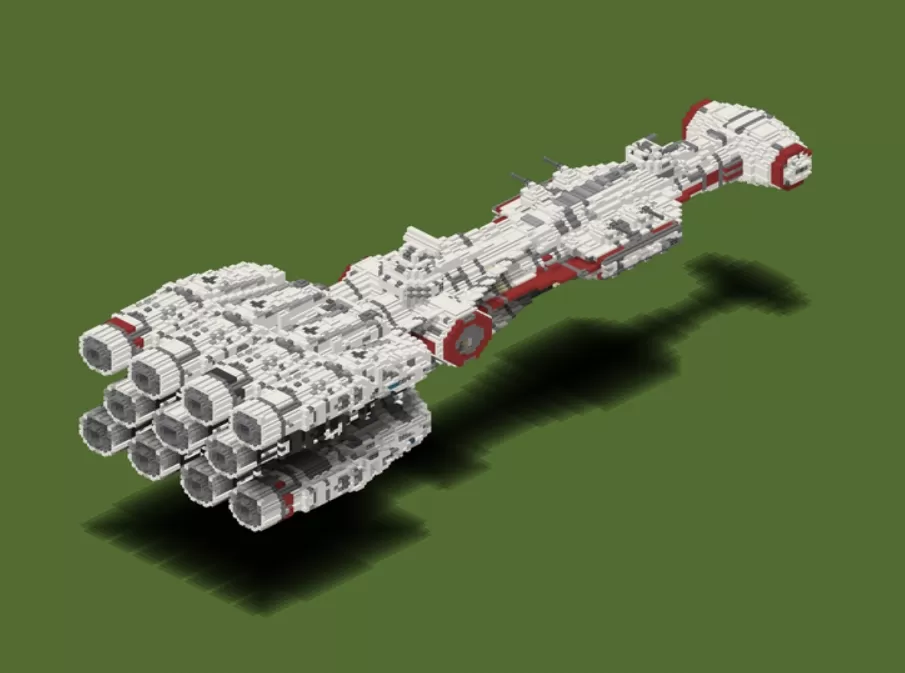
This schematic recreates the Tantive IV, Princess Leia's iconic Corellian corvette blockade runner from Star Wars, featuring instantly recognizable design elements including the elongated hull, distinctive red accent stripes, and massive rear engine array with eleven cylindrical thrusters. The ship is constructed primarily with white and light gray blocks to capture the clean Republic vessel aesthetic, complemented by red concrete accents that mark the CR90 corvette's characteristic color scheme. The build captures impressive surface detailing including hull plating patterns, viewport sections, sensor arrays, and the hammerhead-style cockpit module at the front.
The schematic's elongated profile and cluster of rear engines make it unmistakable as the rebel blockade runner famously seen fleeing the Imperial Star Destroyer in the opening of A New Hope. The detailed exterior includes technical greebling that simulates the industrial sci-fi aesthetic of the original trilogy, with careful attention to the ship's asymmetric features and utilitarian design philosophy. This build works perfectly for Star Wars-themed worlds, space station docks, rebel base hangars, or as a centerpiece for galactic civil war scenarios. The Tantive IV's moderate size makes it practical for survival builds while maintaining enough detail to be immediately recognizable to fans of the franchise.
The schematic's elongated profile and cluster of rear engines make it unmistakable as the rebel blockade runner famously seen fleeing the Imperial Star Destroyer in the opening of A New Hope. The detailed exterior includes technical greebling that simulates the industrial sci-fi aesthetic of the original trilogy, with careful attention to the ship's asymmetric features and utilitarian design philosophy. This build works perfectly for Star Wars-themed worlds, space station docks, rebel base hangars, or as a centerpiece for galactic civil war scenarios. The Tantive IV's moderate size makes it practical for survival builds while maintaining enough detail to be immediately recognizable to fans of the franchise.
Download: Tantive IV schematic for Minecraft
| Format | Size | Use with | |
|---|---|---|---|
.litematic tantive-iv.litematic |
55.70 KB | Litematica (Java) — more Litematica schematics |
|
.schem tantive-iv.schem |
20.53 KB | WorldEdit / FAWE |
|
.schematic tantive-iv.schematic |
36.70 KB | Legacy / online installer |
|
Install this build directly on your Minecraft map
Auto-converted from the original format; container contents (chests, signs) may be missing.
📘 How to use with Litematica (click to expand)
- Put the downloaded
.litematicfile into the.minecraft/schematics/folder. - In game, press M to open the Litematica menu and choose Load Schematics.
- Select the file in the list and click Load Schematic.
- Position the placement where you want it and build — or paste it instantly in creative with Easy Place mode.
Requires the Litematica mod (Java Edition).
More builds: Litematica schematics.