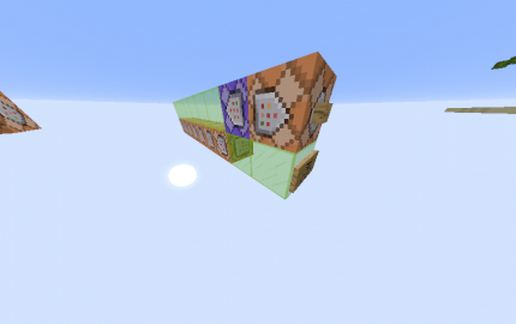
Menu to choose the painting we want!
Published on January 1, 2023
By Valplay8
👁️🗨️ 120
23
★
★
★
★
★
Rate it
Description
i've recently see a post on an article in the french website minecraft.fr which says: "Mon plus grand rêve sur minecraft depuis le début ? Un systéme de gestion pour choisir le tableau qu’on l’on veut poser, plutôt que ce systéme aléatoire qui est une horreur, en survival comme en créa… Peut être existe il une commande ?"
"My biggest dream in minecraft since the beggining ? A managing system to choose the painting we want, instead of this bullshit random mecanics, in survival and in creative mode... Maybe a command exist ?
So i decided to create this concept :)
(it tooks me 1 day btw)
PS: it only work in Snapshots (i make it with the 15w51b)
"My biggest dream in minecraft since the beggining ? A managing system to choose the painting we want, instead of this bullshit random mecanics, in survival and in creative mode... Maybe a command exist ?
So i decided to create this concept :)
(it tooks me 1 day btw)
PS: it only work in Snapshots (i make it with the 15w51b)
Download: Menu to choose the painting we want! schematic for Minecraft
| Format | Size | Use with | |
|---|---|---|---|
.litematic menu-to-choose-the-painting-we-want!.litematic |
14.79 KB | Litematica (Java) — more Litematica schematics |
|
.schem menu-to-choose-the-painting-we-want!.schem |
381.00 B | WorldEdit / FAWE |
|
.schematic menu-to-choose-the-painting-we-want!.schematic |
1.43 KB | Legacy / online installer |
|
| Install this build directly on your Minecraft map |
|
||
Auto-converted from the original format; container contents (chests, signs) may be missing.
📘 How to use with Litematica (click to expand)
- Put the downloaded
.litematicfile into the.minecraft/schematics/folder. - In game, press M to open the Litematica menu and choose Load Schematics.
- Select the file in the list and click Load Schematic.
- Position the placement where you want it and build — or paste it instantly in creative with Easy Place mode.
Requires the Litematica mod (Java Edition).
More builds: Litematica schematics.
Comments
Similar